

WordPress plugins extend your WordPress experience. There are thousands of free WordPress plugins available which is hard to decide which ones are best to use on your WordPress website. today we have compiled a list of 10 must-have WordPress plugins for every website e.g. blogs, shops, corporate, etc these plugins will help your website achieve its goals with ease. in this article we will provide links to each plugin and why do you need to install it today with real data.
1. Yoast SEO

Yoast SEO Plugin is by a long shot the most mainstream Search engine optimization tool in the WordPress scene, and it’s not difficult to perceive any reason why it’s one of our must-have WordPress Plugin. it help you improve your SEO, it can even analyze your content’s readability. As far as SEO is concerned, there are plenty of ways to drive traffic to your site. However, none offer as much potential as search engines. Each day, Google alone handles over nine billion searches. It’s not an exaggeration to say that organic traffic can make or break a website,
FEATURES:
- Optimize your WordPress posts and pages using keywords and meta descriptions.
- See how well your content is currently optimized, and make improvements easily.
- Improve your content’s readability with simple tips.
2. UpdraftPlus

An average of 30,000 websites get hacked every day. When you consider the fact that WordPress powers nearly 30% of sites on the web, you can see why it’s a frequent target. Moreover, parts of your WordPress website can sometimes stop working due to simple errors. This is where our next must-have WordPress plugin comes into play. There are plenty of WordPress backup plugins available online, but few of them are as powerful and easy to use as UpdraftPlus. It integrates with multiple cloud storage options to safeguard your backups. And you can even automate your backups with a recurring schedule.
FEATURES:
- Create automatic or manual backups of your website.
- Store your backups locally or on the cloud.
- Restore your website to a previous state.
3. Elementor

With over 5,000,000 active installs, Elementor is one of the coolest additions on our must-have WordPress plugins list. It is a visual page builder that gives you the ability to craft original designs for your pages that are somewhat independent of your current theme. Elementor is useful for those who want to create a beautiful landing page for their business. It is also a good choice for those who want to have a custom design for parts of their website but don’t have deep pockets to hire a developer to do the task.
FEATURES:
- Select from 150+ beautifully built templates from the Elementor library.
- Create a value proposition with a simple drag and drop.
- Build fully original designs for your website.
4. WPForms

WPForms is an amazing WordPress plugin for building beautiful forms (contact forms and other). This plugin offers a perfect blend of useful features and ease of usage. It is highly user-friendly and mobile responsive. WPForms gives you a customizable, modern contact form that not only improves interaction but also generates better conversions, gets more survey results, and much more.
FEATURES:
- Create an attractive contact form for free.
- Save your time with pre-built form templates.
5.MC4WP: Mailchimp for WordPress

Allowing your visitors to subscribe to your newsletter should be easy. With this plugin, it finally is. This plugin helps you grow your Mailchimp lists and write better newsletters through various methods. You can create good looking opt-in forms or integrate with any existing form on your site, like your comment, contact or checkout form.
FEATURES:
- Connect with your Mailchimp account in seconds.
- Sign-up forms which are good looking, user-friendly and mobile optimized. You have complete control over the form fields and can send anything you like to Mailchimp.
- Seamless integration with the following plugins.
6. Smush – Lazy Load Images, Optimize & Compress Images

Optimize images, turn on lazy load, resize, compress & improve your Google Page Speed with the incredibly powerful and 100% free WordPress image smusher, brought to you by the superteam at WPMU DEV! Image optimization is the easiest way to make your site load super fast! Smush has been benchmarked and tested number one for speed and quality. It is also the award-winning, back-to-back proven crowd favorite image optimization & image compression plugin for WordPress.
FEATURES:
- Lossless Compression – Strip unused data and compress images without affecting image quality.
- Lazy Load – Defer offscreen images with the flip of a switch.
- Bulk Smush – Optimize & compress up to 50 images with one click.
- Image Resizing – Set a max width and height and large images will scale down as they are being compressed.
- Incorrect Size Image Detection – Quickly locate images that are slowing down your site.
- Directory Smush – Optimize images even if they are not located in the media library.
7. W3 Total Cache
W3 Total Cache (W3TC) improves the SEO and user experience of your site by increasing website performance and reducing load times by leveraging features like content delivery network (CDN) integration and the latest best practices. W3TC is the only web host agnostic Web Performance Optimization (WPO) framework for WordPress trusted by millions of publishers, web developers, and web hosts worldwide for more than a decade. It is the total performance solution for optimizing your WordPress Website.
FEATURES:
- Compatible with shared hosting, virtual private / dedicated servers and dedicated servers / clusters
- Transparent content delivery network (CDN) management with Media Library, theme files and WordPress itself
- Mobile support: respective caching of pages by referrer or groups of user agents including theme switching for groups of referrers or user agents
- Accelerated Mobile Pages (AMP) support
- Secure Socket Layer (SSL) support
- Caching of (minified and compressed) pages and posts in memory or on disk or on (FSD) CDN (by user agent group)
- Caching of (minified and compressed) CSS and JavaScript in memory, on disk or on CDN
8. Login LockDown

Login LockDown records the IP address and timestamp of every failed login attempt. If more than a certain number of attempts are detected within a short period of time from the same IP range, then the login function is disabled for all requests from that range. This helps to prevent brute force password discovery. Currently the plugin defaults to a 1 hour lock out of an IP block after 3 failed login attempts within 5 minutes. This can be modified via the Options panel. Administrators can release locked out IP ranges manually from the panel.
9. XML Sitemaps
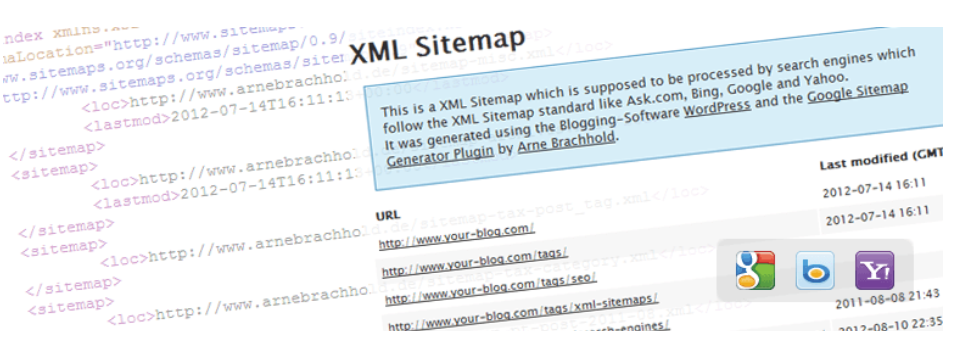
Use this plugin to greatly improve SEO to create special XML sitemaps which will help search engines like Google, Bing, Yahoo and Ask.com to better index your site. With such a sitemap, it’s much easier for the crawlers to see the complete structure of your site and retrieve it more efficiently. The plugin supports all kinds of WordPress generated pages as well as custom URLs. Additionally it notifies all major search engines every time you create a post about the new content.
10. MonsterInsights – Google Analytics Dashboard for WordPress

We believe that it’s easy to double your traffic and sales when you know exactly how people find and use your website. MonsterInsights shows you the stats that matter, so you can grow your business with confidence. Unlike other Google Analytics plugins, MonsterInsights allow you to enable all advanced Google analytics tracking features with just a few clicks (no need to hire a developer).
The best part is that MonsterInsights comes with a Google Analytics Dashboard for WordPress that shows you actionable analytics reports right inside your WordPress dashboard. We have created customized reports that eliminates the fluff and only show you the stats that matter, so you can see exactly what’s working and what’s not!